Video sticker maker for Telegram: your video → a live sticker, background removed
Wiggle is a Telegram bot. Send it a short video of your pet, kid or friend and get an animated sticker with the background cut out and a white outline, in your own pack, in about 30 seconds.
Open @WigglePackBot in Telegram
3 live stickers free · no sign-up · works in any Telegram app
Just need a file? Free converter: MP4 or GIF → Telegram sticker WEBM / emoji, runs in your browser, no upload.
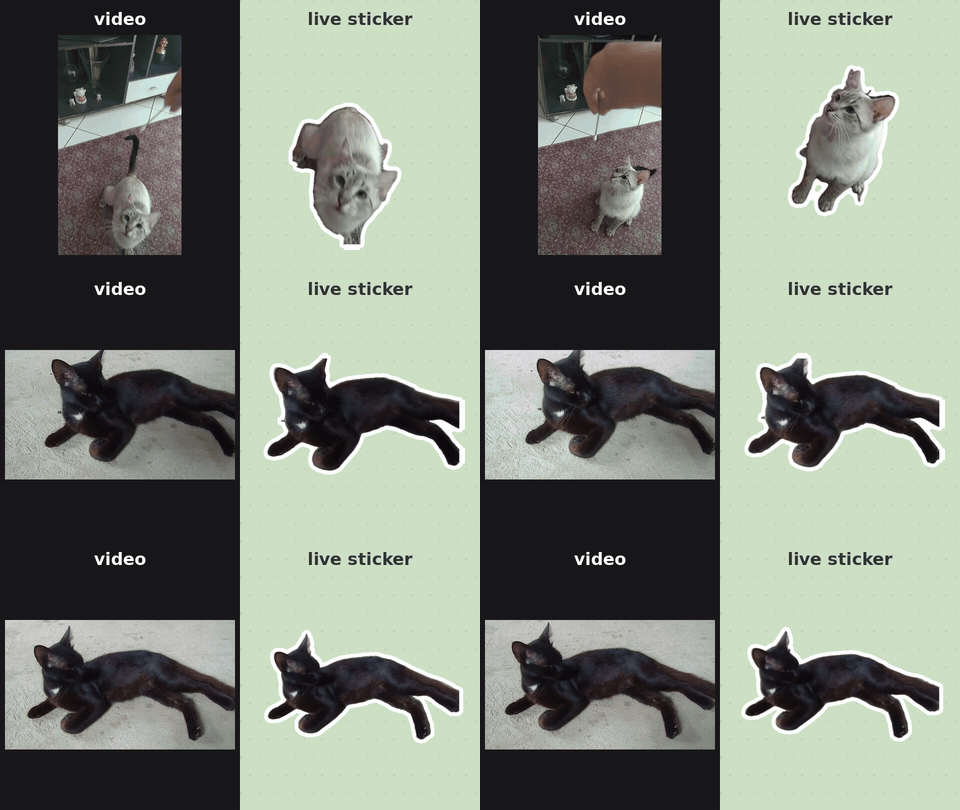
How it works
- Open @WigglePackBot and press Start.
- Send a video, a round video message or a GIF (photos become static stickers).
- Wait ~30 seconds. The sticker is in your personal pack, ready for any chat.
Text on the sticker, meme style
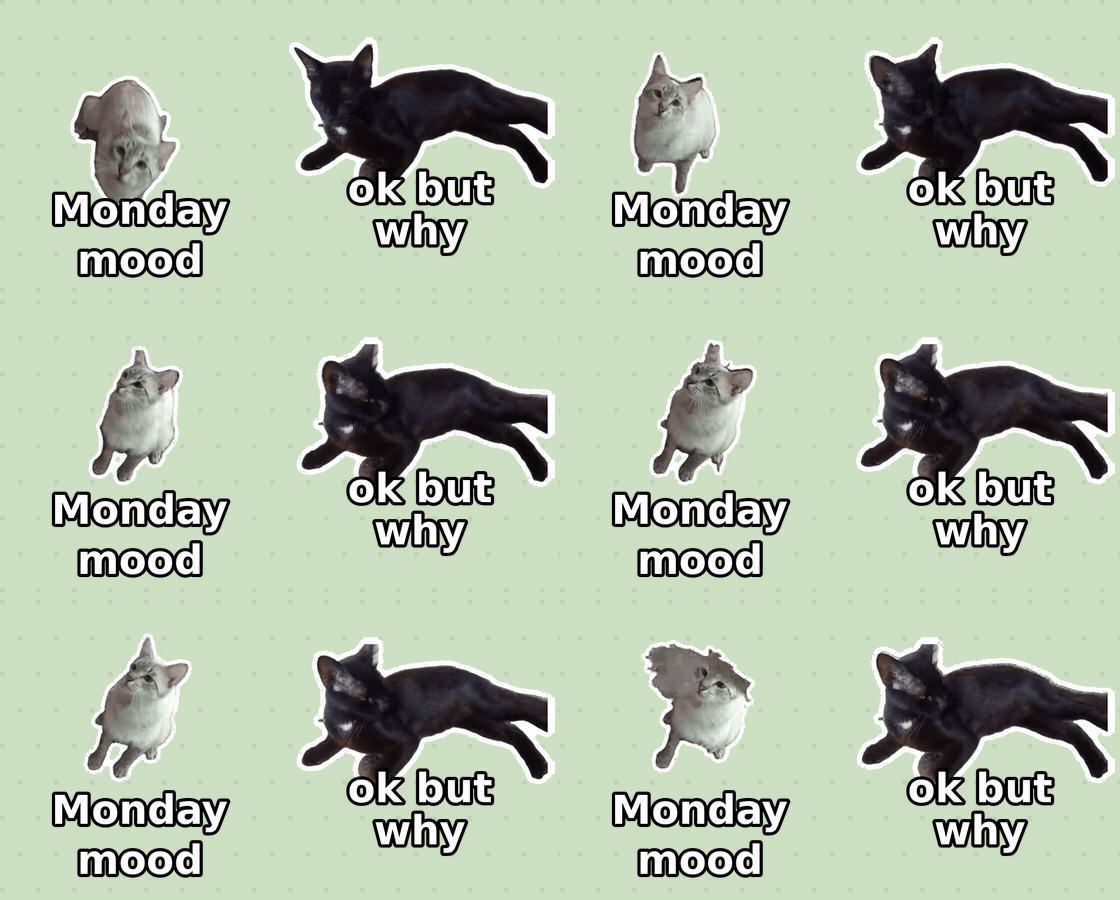
Add a caption to the video and it goes right on the sticker. Or tap “✍️ Add text” under any sticker.
Round video messages in one tap
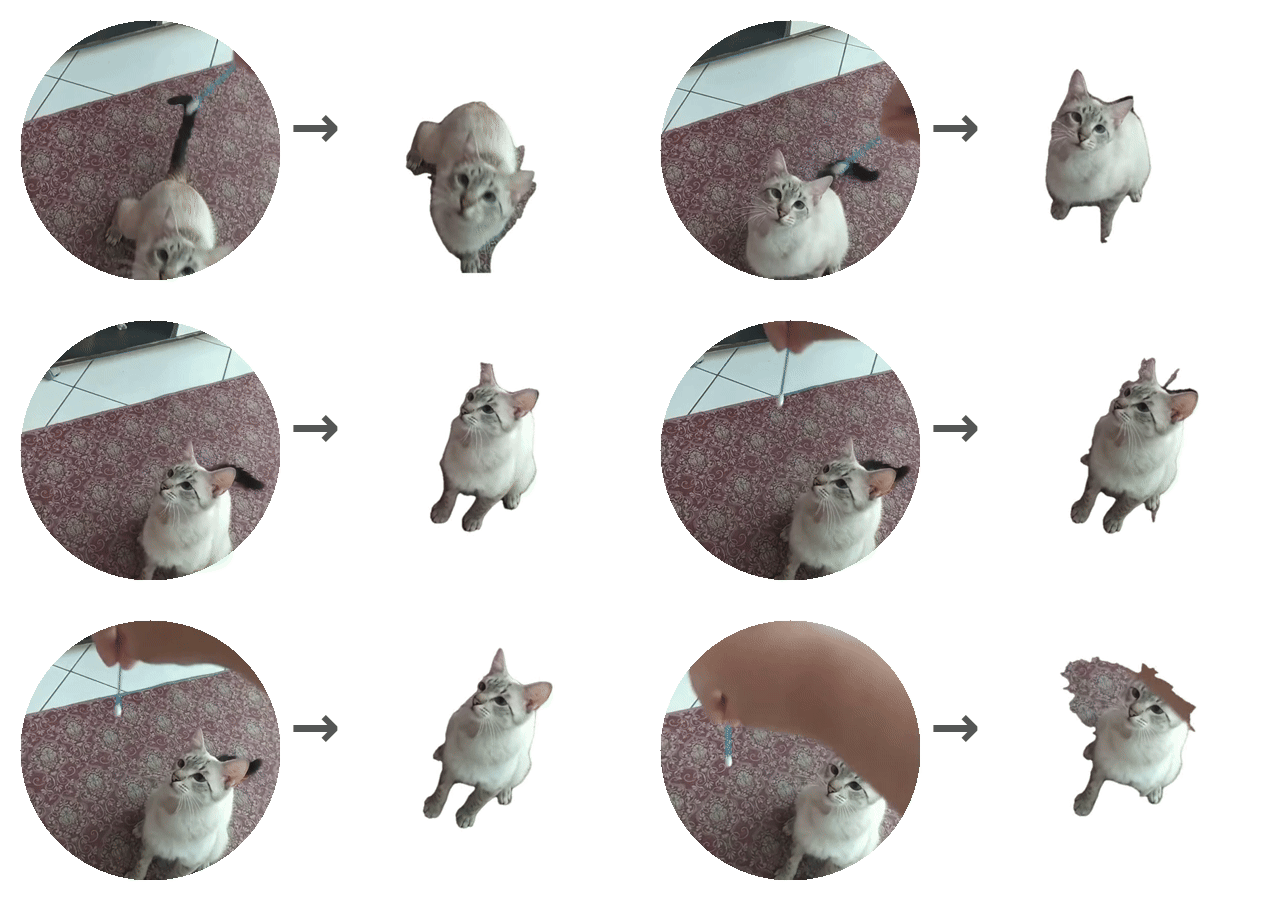
Forward a round video message to the bot: it picks the best 3 seconds and cuts out the subject.
Price
3 live stickers free. Static stickers from photos always free. Then 50⭐ for 10 or 150⭐ for 40, paid with Telegram Stars. Failed stickers never use a credit; unused credits can be refunded.
Open @WigglePackBot in Telegram
3 live stickers free · no sign-up · works in any Telegram app
FAQ
How do I make a Telegram video sticker from my own video?
Send a 1–3 second video, a round video message or a GIF to @WigglePackBot in Telegram. The bot removes the background on every frame, adds a white outline, encodes a VP9 WEBM under 256 KB and adds the sticker to your own pack in about 30 seconds.
Is Wiggle free?
The first 3 live (animated) stickers are free and static stickers from photos are always free. After that, 10 live stickers cost 50 Telegram Stars and 40 cost 150 Stars, paid inside Telegram. No sign-up and no card.
Does it remove the background?
Yes. Every frame is cut out with an AI model, so the pet, person or object floats on a transparent background. It works best with one subject in full view on a plain floor or wall.
Can I add text to an animated sticker?
Yes. Write a caption when you send the video, or tap “Add text” under a sticker you already made. The text is drawn on every frame and the sticker stays animated. Adding text is free.
Where do the stickers go?
Into a sticker pack created on your own Telegram account. You can send them in any chat, share the pack link, or type @WigglePackBot in any chat to pick one.
Guides
- Free converter: video or GIF → Telegram sticker WEBM (in your browser)
- Telegram sticker downloader: any pack → GIF / PNG / ZIP
- Скачать стикеры из Telegram (GIF, PNG, ZIP)
- How to make a Telegram video sticker from your own video
- How to remove the background from a video for a Telegram sticker
- How to add text to a Telegram sticker (animated too)
- Cómo hacer un sticker animado de Telegram con tu propio vídeo (sin fondo)
- Como fazer figurinha animada no Telegram com o seu vídeo (sem fundo)
- Как сделать живой стикер в Telegram из видео
- Как сделать стикер из кружка в Telegram
Free sticker packs
- Animated cat stickers for Telegram: free reaction pack
- Animated dog stickers for Telegram: free reaction pack
- Animated cat emoji for Telegram: free custom emoji pack
- Живые стикеры с котами для Telegram: бесплатный пак с подписями
- Stickers animados de gatos para Telegram, con frases en español
- Figurinhas animadas de gato para Telegram, com frases em português
- Telegram için hareketli kedi çıkartmaları, Türkçe yazılı
- Stiker kucing animasi untuk Telegram, dengan tulisan bahasa Indonesia
- Animierte Katzen-Sticker für Telegram, mit deutschen Sprüchen
Telegram's own spec for video stickers: WEBM/VP9, 512 px, ≤3 s, ≤256 KB (core.telegram.org/stickers).